CertMon
SECURITY & CERTIFICATES
Fix Python "CERTIFICATE_VERIFY_FAILED: unable to get local issuer certificate" on Mac
Python on your Mac stops with ssl.SSLCertVerificationError: [SSL: CERTIFICATE_VERIFY_FAILED] certificate verify failed: unable to get local issuer certificate, or requests wraps the same message in requests.exceptions.SSLError. Python does not read the macOS keychain. It checks certificates against a CA bundle file, and either that file is missing (a python.org install) or it does not contain the CA that signed the server's certificate (your local development CA).
Start in Terminal: which Python, and which CA file
Run this with the same python3 that fails:
python3 -c "import sys, ssl; print(sys.executable); print(ssl.OPENSSL_VERSION); print(ssl.get_default_verify_paths())"The openssl_cafile field is the bundle the ssl module, urllib and httpx use. What you see depends on where Python came from:
- python.org installer: a path under
/Library/Frameworks/Python.framework/Versions/. Until you run the step below, that file does not exist, so every HTTPS site fails, public ones included. - Homebrew:
/opt/homebrew/etc/openssl@3/cert.pem(/usr/local/on Intel), a link to Homebrew'sca-certificatesbundle. - Apple's
/usr/bin/python3: built with LibreSSL and reads/private/etc/ssl/cert.pem. - Anaconda: its own copy, such as
/opt/anaconda3/ssl/cert.pem.
The requests library ignores all of these and uses the certifi package's bundle. Find it with python3 -m certifi.
Public sites fail: run Install Certificates.command
If you installed Python from python.org and even https://pypi.org fails, run the script that ships with the installer. Change 3.13 to your version; ls /Applications | grep Python shows the folder name.
open "/Applications/Python 3.13/Install Certificates.command"The script runs pip install --upgrade certifi for that Python and links its openssl_cafile to certifi's bundle. You need it once per Python version, and again after reinstalling one. Homebrew, Anaconda and Apple's Python do not need it.
Your local CA fails: point Python at the root certificate
Public sites work, but https://myapp.test or https://localhost:8443 fails, even though Safari and Chrome trust it. Get the root CA as a PEM file (mkcert -CAROOT shows mkcert's rootCA.pem; the Node, curl and Python guide shows how to export one from the keychain), then set the variable for the library you use:
export REQUESTS_CA_BUNDLE="$HOME/rootCA.pem"
export SSL_CERT_FILE="$HOME/rootCA.pem"
We checked each combination against a local server on macOS 26 with Homebrew Python 3.14, requests 2.34 and httpx 0.28:
- requests reads
REQUESTS_CA_BUNDLE, thenCURL_CA_BUNDLE. It ignoresSSL_CERT_FILE. In code,requests.get(url, verify="/path/to/rootCA.pem")does the same for one call. - urllib, the
sslmodule and httpx readSSL_CERT_FILEand ignoreREQUESTS_CA_BUNDLE.
All of these replace the bundle rather than add to it. With only your root CA in the file, https://pypi.org then fails with the same error. If the process talks to both, build one file that holds the public roots and yours:
cat "$(python3 -m certifi)" ~/rootCA.pem > ~/dev-ca-bundle.pem
export REQUESTS_CA_BUNDLE="$HOME/dev-ca-bundle.pem"
export SSL_CERT_FILE="$HOME/dev-ca-bundle.pem"
Regenerate the combined file when certifi updates. Do not reach for verify=False or an unverified ssl context outside a throwaway test: they turn off checking for every host, not only yours.
Use the macOS keychain instead: truststore
The truststore package (Python 3.10 or later) makes Python verify certificates with the operating system. On a Mac it uses Apple's Security framework, the same trust decision Safari makes, so a CA you have trusted in Keychain Access is accepted and you have no bundle file to keep in sync.
python3 -m pip install truststoreCall it as early as possible in your application, before other code creates an SSLContext:
import truststore
truststore.inject_into_ssl()

import requests
requests.get("https://myapp.test")
In our test it fixed both requests and urllib for public sites with no variables set. A server whose CA is not trusted in the keychain still fails, with a macOS message such as "localhost" certificate is not trusted, which tells you the request reached Apple's trust check. The truststore documentation says inject_into_ssl() is for applications and scripts, not libraries; a library should build a truststore.SSLContext(ssl.PROTOCOL_TLS_CLIENT) and pass it in instead.
"Missing Authority Key Identifier" on Python 3.13 and later
If the error changes to certificate verify failed: Missing Authority Key Identifier once Python can find your CA, the certificate itself is the problem. Since Python 3.13, ssl.create_default_context() turns on VERIFY_X509_STRICT, which rejects some hand-made certificates that older versions and browsers accept. In our test, a leaf certificate without the Authority Key Identifier extension failed on Python 3.14 and passed on Python 3.12 with the same CA file.
Reissue the certificate with a current tool. openssl x509 -req from OpenSSL 3 adds the extension by default, and so does CertMon. The commands are in How to enable trusted HTTPS on localhost in Safari and Chrome on macOS.
Pick the right Python
A fix applied to one Python does nothing for another. which -a python3 often lists Homebrew, python.org, pyenv, Anaconda and /usr/bin/python3 on the same Mac, and each virtual environment has its own certifi. If the error survives a fix, run the first command on this page from inside the virtual environment or IDE run configuration that fails.
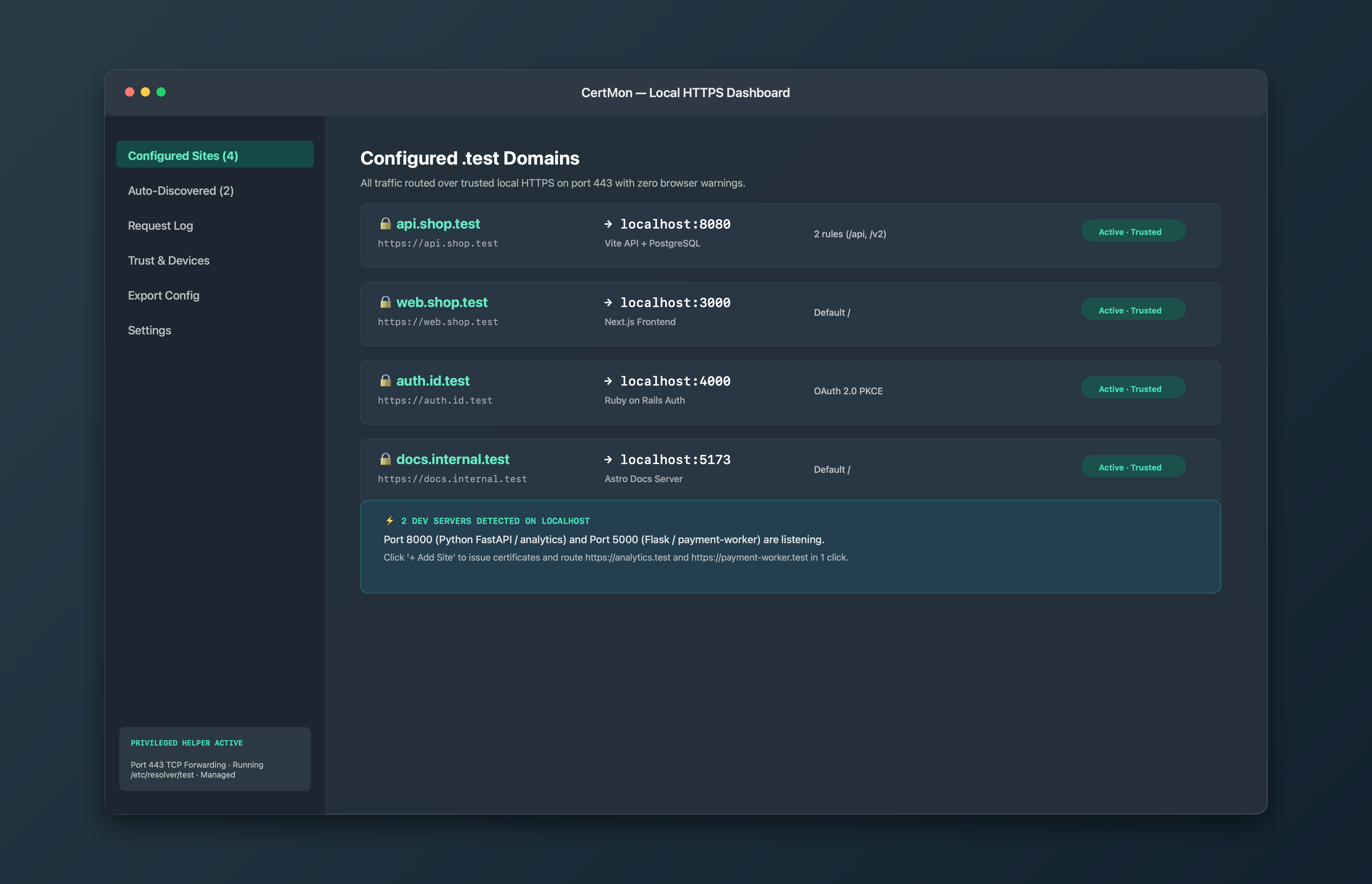
The easier way with CertMon
CertMon cannot change where Python looks for certificates, so REQUESTS_CA_BUNDLE, SSL_CERT_FILE or truststore still apply. It creates the root CA, trusts it in your login keychain (which is what truststore reads), and limits it with Name Constraints to .test and .localhost names. Its leaf certificates carry the Authority Key Identifier that Python 3.13 checks for. Export CA Certificate (.crt) in the Trust & Devices tab saves a PEM file you can use as rootCA.pem above.