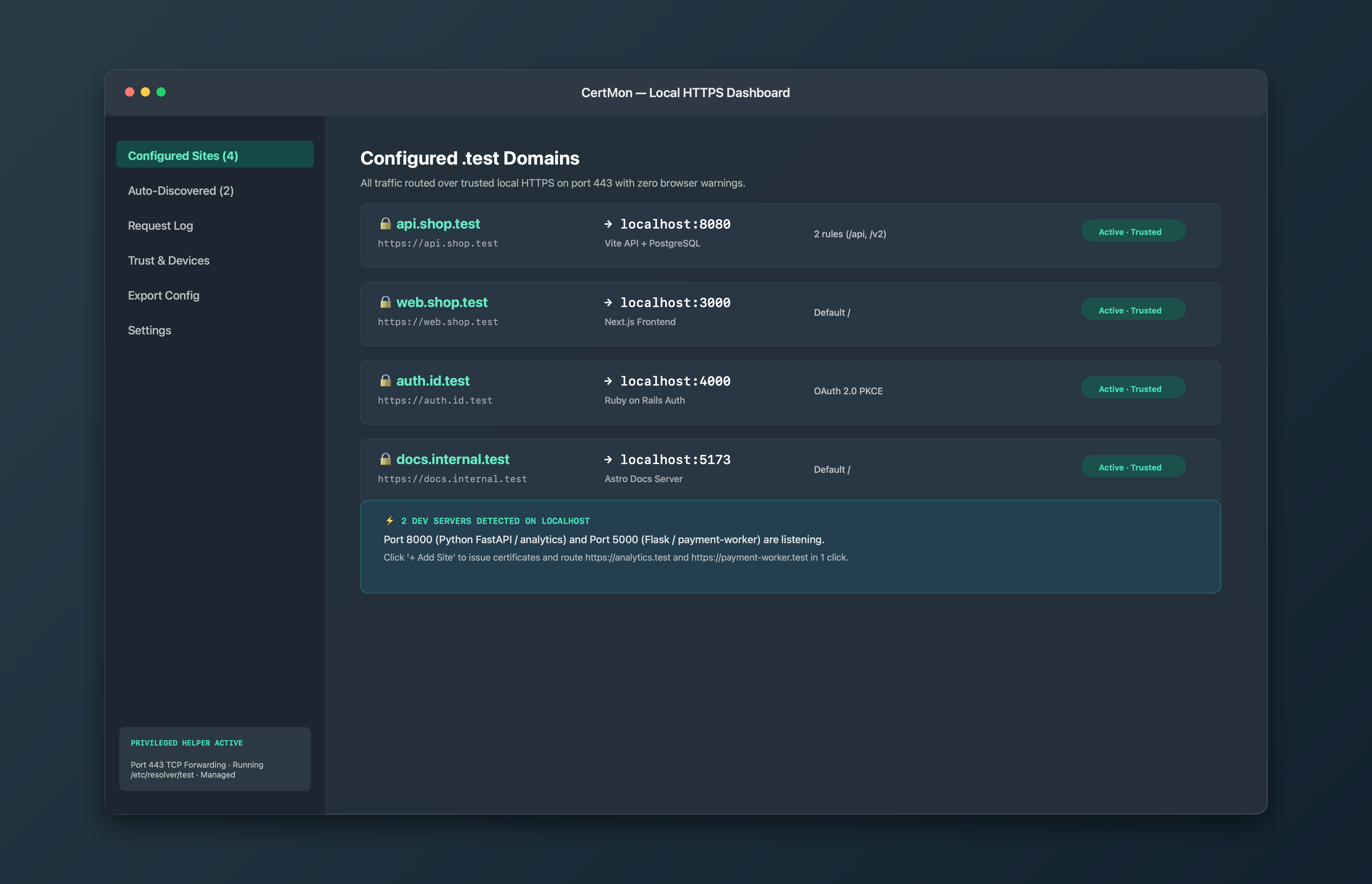
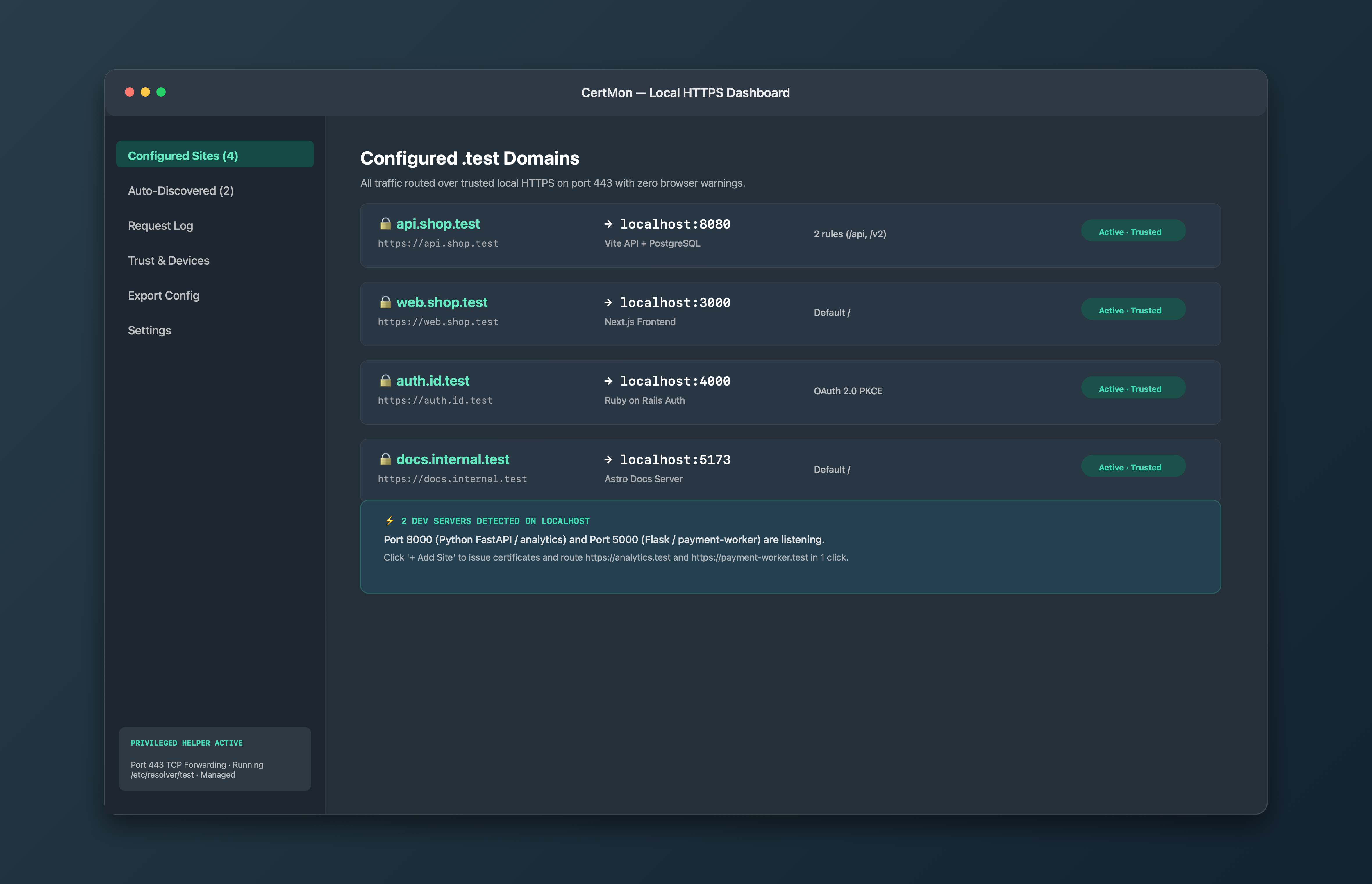
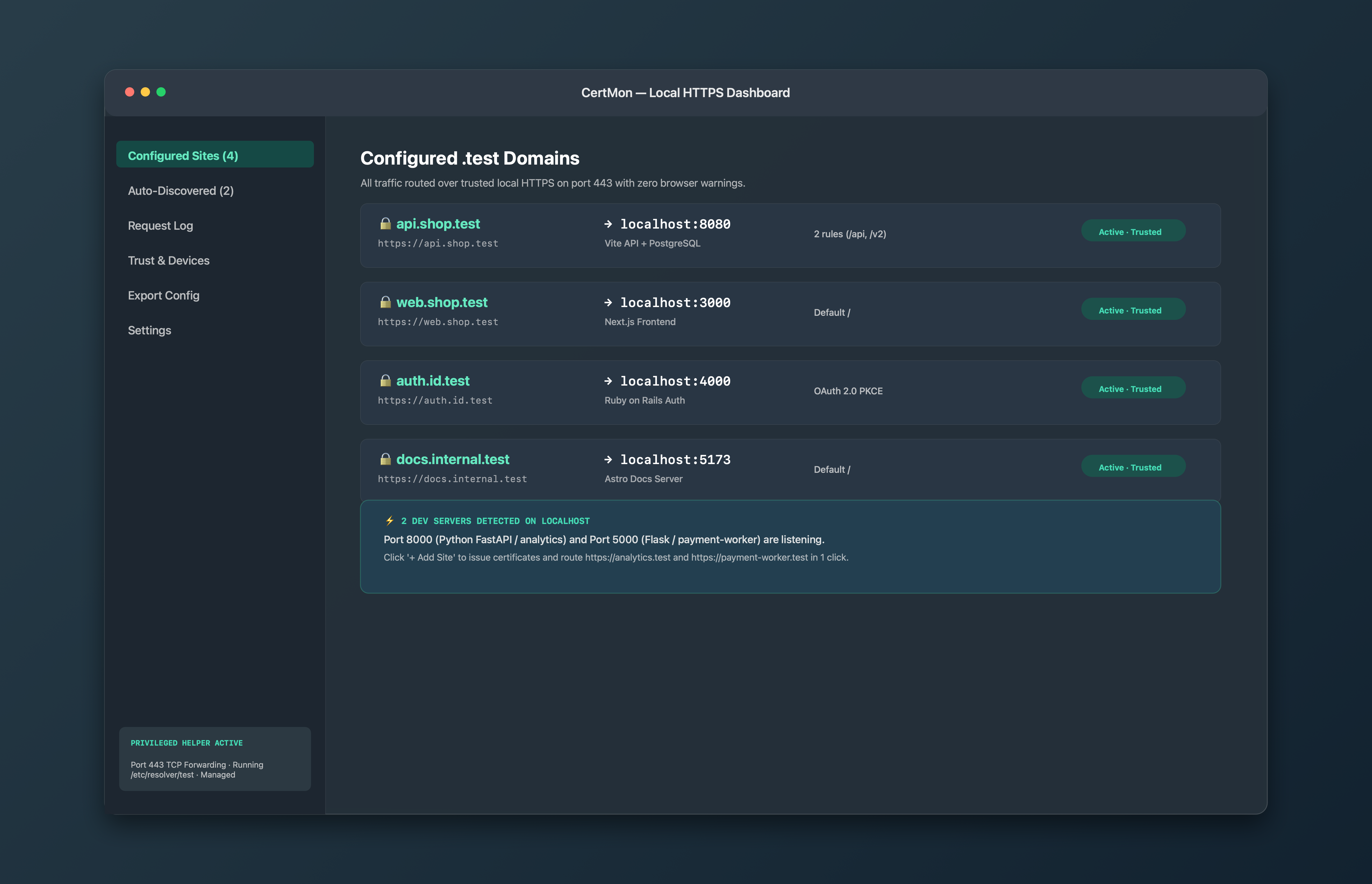
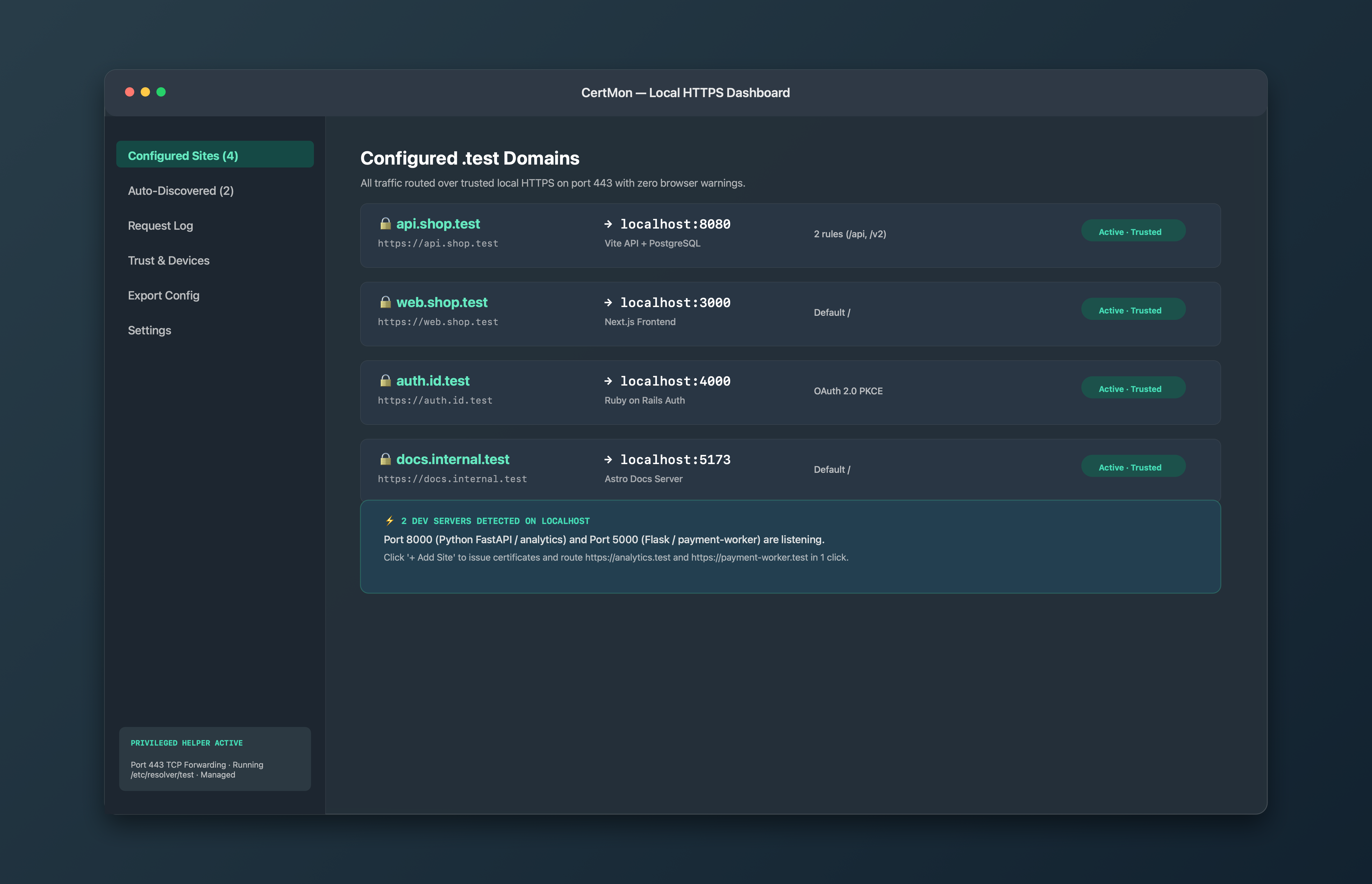
Tired of untrusted certificate warnings, self-signed hacks, and broken OAuth redirect URIs? CertMon issues trusted certificates, configures .test DNS, and reverse proxies port 443 straight to your dev ports.
CertMon running on macOS with active local HTTPS routes.
01 / ZERO-WARNING TRUST
Real green locks in Safari, Chrome, and curl.
CertMon generates a dedicated local Root CA and stores its private key securely in your macOS Login Keychain—never on disk in plaintext. With one-click trust management, Safari, Chrome and the system curl trust your .test domains with no warnings and no security bypasses. Node.js, Python and Java keep their own certificate lists; one environment variable points them at CertMon's root.
Keychain trust status and one-click health verification.
02 / BUILT-IN REVERSE PROXY & DISCOVERY
Port 443 with WebSocket HMR and path routing.
CertMon listens on standard HTTPS port 443 so you never type port numbers in your address bar again. Full-duplex WebSocket support ensures Vite, Next.js, and Webpack Hot Module Replacement works instantly. Route api.myapp.test to port 8080, or route myapp.test/api to 8080 and myapp.test/ to 3000.
Route domains and paths to any local port with live auto-discovery.
03 / MOBILE TESTING & TEAM SHARING
Test on real iPhones and share with teammates.
Export an Apple .mobileconfig profile so an iPhone or iPad trusts CertMon's certificates, and turn on LAN Mode when you want a device on your network to reach your Mac. CertMon's root certificate can only vouch for .test and .localhost names, so trusting it on a device, or on your Mac, never extends to a real site.
Live request log with status codes, latency, and device profile export.
YOUR MAC. TRANSPARENT SECURITY.
Why an optional privileged helper?
Binding port 443 and writing /etc/resolver/test both require root privileges on macOS. Rather than requiring you to run your whole app or dev server with sudo, CertMon uses a tiny, sandboxed launchd daemon.
The helper performs only two operations: forwarding inbound TCP port 443 to CertMon’s proxy and managing the /etc/resolver/test file. It accepts requests only from CertMon binaries signed with the exact same Developer ID. You can inspect its status or uninstall it with one click anytime.
mkcert creates certificate files on disk, but leaves everything else to you: editing /etc/hosts manually for every project, configuring a reverse proxy like Caddy or Nginx, binding port 443, re-configuring every framework’s dev server, and debugging broken WebSockets. CertMon does all of this natively with zero configuration.
Why does CertMon use the .test TLD?
RFC 2606 and RFC 6761 officially reserve .test for testing and development. Unlike .dev and .app (which are public gTLDs owned by Google with hardcoded HSTS preloads), .test will never collide with public internet DNS.
How does the .test DNS resolver work?
macOS has built-in support for per-domain DNS resolvers via /etc/resolver/. CertMon creates a file at /etc/resolver/test directing all queries for *.test to CertMon’s tiny local DNS responder on 127.0.0.1:2053. No VPNs, no network profile modifications, and zero disruption to your normal DNS.
Does WebSocket and Hot Module Replacement (HMR) work?
Yes. CertMon’s reverse proxy supports full-duplex WebSocket tunneling and HTTP/1.1 upgrade handshakes. Vite, Next.js Fast Refresh, webpack-dev-server, and Astro reload smoothly over HTTPS.
Does Firefox trust CertMon certificates?
Yes, with default settings in Firefox 120 and later. Firefox keeps its own certificate store, but it also trusts root certificates you have added to macOS, including CertMon's root, which is trusted for your account in the login keychain. If you see a certificate error, check that "Allow Firefox to automatically trust third-party root certificates you install" under Settings → Privacy & Security → Certificates (security.enterprise_roots.enabled in about:config) is on, then quit and reopen Firefox.
Can I test on my iPhone or iPad?
Yes. From the Trust & Devices tab in CertMon, click "Export iOS Profile" to generate an Apple .mobileconfig profile containing the Root CA certificate. AirDrop it to your iOS device, install it under Settings, enable Full Trust, and your phone will trust your local dev servers over your Wi-Fi network.
Does CertMon track me or inspect my traffic?
No. No tracking: no identifiers, no usage events, no crash reports, no account. All certificates, private keys, and HTTP traffic remain strictly on your local machine. The only outbound network requests are Polar license activation and a daily update check to updates.uresk.net, which says only which version of CertMon you have and its license state; we keep a daily count of those and nothing else (details). The website uses Google Analytics to count visits.
Why isn’t CertMon in the Mac App Store?
The Mac App Store sandbox forbids binding privileged ports like 443, installing launchd daemons, and managing /etc/resolver/. CertMon is distributed directly and signed with an official Apple Developer ID with Notarization.
 CertMon