CertMon
NETWORKING & DNS
Use app.localhost subdomains on a Mac without editing /etc/hosts
You want app, api and admin on separate hostnames, and you do not want another line in /etc/hosts for each one. You may not need any setup at all: on current macOS, every name ending in .localhost already resolves to this Mac. Check it first, then watch for four catches: dig, IPv6, dev servers that check the Host header, and wildcard certificates.
Start in Terminal: check that it resolves
Ask the system resolver, the one browsers and apps use:
dscacheutil -q host -a name api.myapp.localhostOn macOS 26 the answer is the loopback addresses, with no entry in /etc/hosts and no file in /etc/resolver:
name: localhost
ipv6_address: ::1

name: localhost
ip_address: 127.0.0.1
In our tests on macOS 26.6 this worked for any depth (app.localhost, api.shop.localhost) and any capitalisation, and curl, Python's urllib and Node's fetch and http all reached a local server through http://app.localhost:PORT/. Chrome and Firefox resolve *.localhost to loopback themselves anyway; Safari and other Mac apps ask the system resolver and get the answer above. If your Mac runs an older macOS, run the same dscacheutil command: if it prints nothing, add the names to /etc/hosts or use .test with a resolver file instead.
Do not test with dig or nslookup
dig and nslookup send the question straight to a DNS server and skip the macOS resolver. On the same Mac, dig app.localhost came back status: NXDOMAIN from the network's DNS server while every app resolved the name fine. Test with dscacheutil, ping or curl -v. The same applies to names in /etc/hosts and /etc/resolver.
The ::1 catch
macOS returns ::1 before 127.0.0.1. A server that listens on 127.0.0.1 only refuses the first attempt, and clients that try the next address hide this. curl -v shows it happening:
*   Trying [::1]:3000...
* connect to ::1 port 3000 from ::1 port 55290 failed: Connection refused
*   Trying 127.0.0.1:3000...
* Connected to app.localhost (127.0.0.1) port 3000
A client that gives up after the first address fails with something like connect ECONNREFUSED ::1:3000. Make the server listen on both (localhost or :: rather than 127.0.0.1), or point that one client at 127.0.0.1. The reverse also happens: on this Mac, Vite with no --host listened on [::1] only, so app.localhost worked and 127.0.0.1 did not.
Dev servers that check the Host header
Some dev servers refuse hostnames they do not know, to block DNS rebinding attacks. Vite is the common one, and it already allows .localhost names. In our test with Vite 8.3.2 and no config, the dev server answered 200 when reached as app.localhost and 403 when reached as myapp.test:
Blocked request. This host ("myapp.test") is not allowed.
To allow this host, add "myapp.test" to `server.allowedHosts` in vite.config.js.
That is one reason to prefer .localhost for quick names. For .test names in Vite, list them in server.allowedHosts in vite.config.js, for example allowedHosts: ['.myapp.test'], where the leading dot also allows every subdomain. For HTTPS in Vite, see HTTPS in Vite local dev.
HTTPS: name each subdomain in the certificate
Over plain HTTP, Chrome and Firefox already treat http://*.localhost as a secure context, so many browser APIs that need HTTPS work without a certificate. When you do need https://, the obvious certificate does not work. A wildcard directly under the top-level domain is refused: we signed a certificate for *.localhost with a test CA and checked it against app.localhost.
security verify-cert -c leaf.pem -c rootCA.pem -r rootCA.pem -p ssl -s app.localhost -L -l
openssl verify -CAfile rootCA.pem -verify_hostname app.localhost leaf.pem
macOS, whose verifier Safari uses, answered Cert Verify Result: Host name mismatch, and OpenSSL answered error 62 at 0 depth lookup: hostname mismatch. A wildcard one level down, *.myapp.localhost, passed both for api.myapp.localhost, and so did names listed one by one. So in the [alt_names] section of your OpenSSL config, either list each name:
DNS.1 = app.localhost
DNS.2 = api.app.localhost
DNS.3 = admin.app.localhost
or use one wildcard per project, DNS.1 = *.myapp.localhost, which covers api.myapp.localhost but not myapp.localhost itself, so list that too. The CA steps are in How to enable trusted HTTPS on localhost in Safari and Chrome.
When .localhost is not enough
- Phones and other computers:
.localhostis reserved to mean the device asking, so on a phoneapp.localhostis the phone, not your Mac. Testing from another device needs a name that points at your Mac's network address. - Containers: inside a container,
localhostis the container. Map a name to the host instead, as in making a Docker container trust your local CA. - Names that look like production: if you want
api.myapp.testto mirrorapi.myapp.com,.testwith a file in/etc/resolverdoes that; see configuring /etc/resolver for .test domains and which TLD to use for local development.
The easier way with CertMon
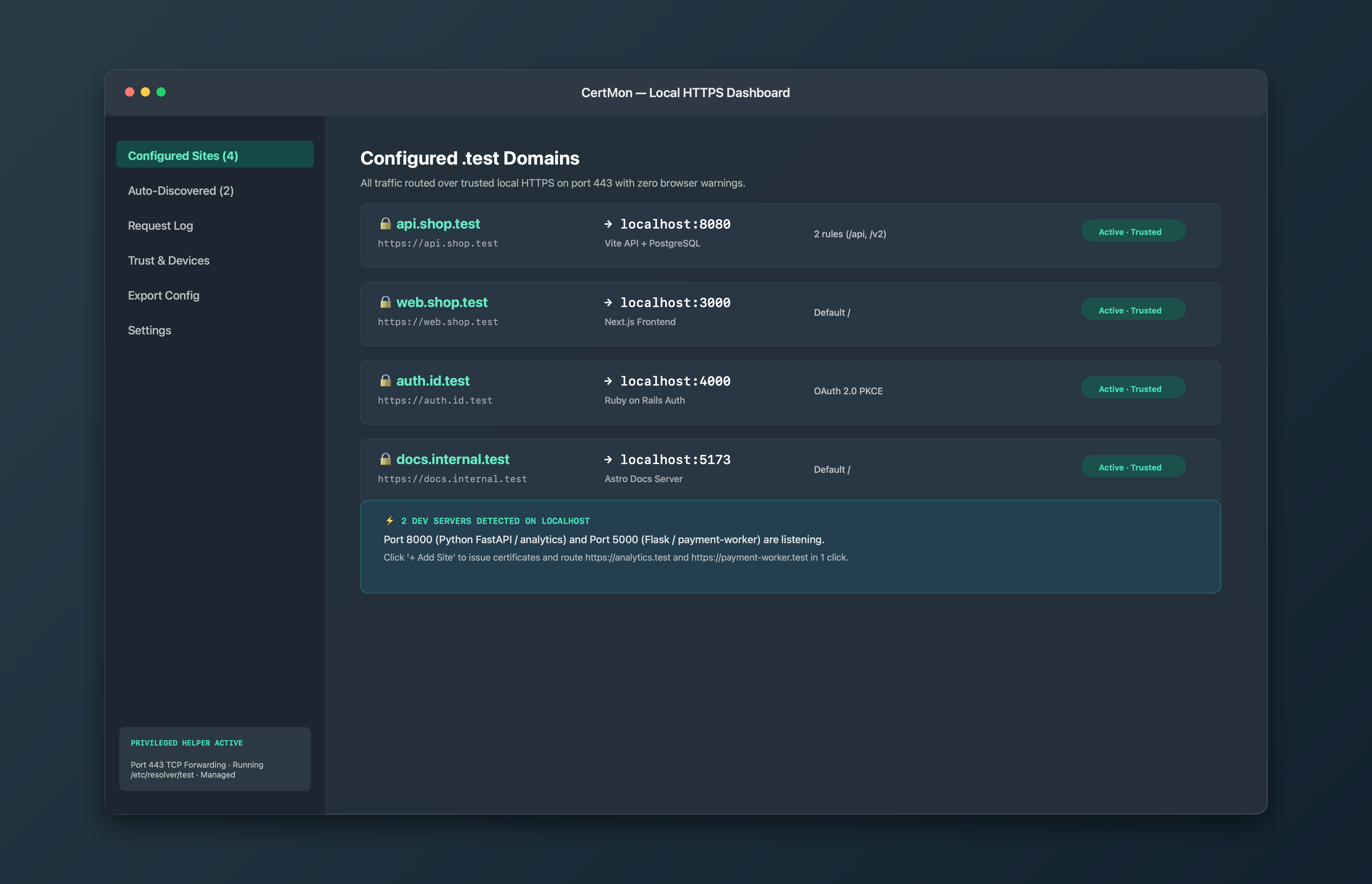
CertMon accepts site names ending in .localhost as well as .test. Each site maps a name such as api.myapp.localhost to a port on your Mac, with optional path rules that send /api to one port and / to another. CertMon puts every active site name into its HTTPS certificate by name rather than relying on a wildcard, so the mismatch above does not come up, and it signs that certificate with a root that is trusted in your login keychain and limited by X.509 Name Constraints to .test and .localhost names and loopback addresses.