CertMon
NETWORKING & DNS
Why can't I use .dev for local development?
You type http://myapp.dev, the browser rewrites it to https://, and you get ERR_CONNECTION_REFUSED or ERR_SSL_PROTOCOL_ERROR. Nothing is wrong with your server. The .dev domain redirects to HTTPS in Chrome, Safari, Firefox and Edge by design, and you cannot switch it off. Rename the project to .test.
Start in Terminal: move the name to .test
For one or two names, a line in /etc/hosts is enough. The hosts file has no wildcards, so each name needs its own line.
# Point one name at this Mac
sudo sh -c 'echo "127.0.0.1 myapp.test" >> /etc/hosts'

# Check it with the system resolver
dscacheutil -q host -a name myapp.test
For every *.test name at once, macOS reads per-domain resolver files from /etc/resolver/. A file named test sends all .test lookups to a DNS server you choose, for example dnsmasq on this Mac configured with address=/test/127.0.0.1.
sudo mkdir -p /etc/resolver
sudo tee /etc/resolver/test <<EOF
nameserver 127.0.0.1
EOF

# Confirm macOS picked it up
scutil --dns | grep -A 3 "domain   : test"
Keep that DNS server on port 53 if you can. The file accepts a port line, but Homebrew's dnsmasq notes warn that on current macOS a resolver file pointing at 127.0.0.1 on another port may not be honoured. Test with dscacheutil or ping, not dig or nslookup: those two query DNS servers directly and do not read /etc/resolver. The full setup is in How to configure /etc/resolver for .test domains on macOS.
Why .dev forces HTTPS
For years .dev did not exist, so developers used it freely. Then Google was delegated .dev as a real top-level domain and added the entire TLD to the HSTS preload list, the list of names that ships inside every major browser and is always loaded over HTTPS. .app is on the list the same way.
A preload entry is compiled into the browser. Clearing HSTS state in chrome://net-internals/#hsts removes entries the browser learned from response headers, not preloaded ones, so there is no per-site override. A .dev name in your hosts file can also shadow a real public website.
Which TLD for local development
.test: reserved by RFC 2606 and RFC 6761 for testing. It will never be delegated, so it can never collide with a real site or land on a preload list. This is the one to use..localhost: reserved by RFC 6761 to mean loopback. Chrome and Firefox resolve*.localhostto loopback themselves, with no DNS setup, and treat it as a secure context even over plain HTTP. Good for a quick name; less useful when other tools or devices need to resolve it..local: avoid it. RFC 6762 reserves it for multicast DNS (Bonjour). macOS sends.locallookups to mDNS, where the resolver waits up to five seconds, so names you put in DNS are slow or fail..devand.app: real TLDs with forced HTTPS. Avoid..exampleand.invalid: reserved too, but for documentation and for names that must never resolve. Not meant for running software.
HTTPS on .test still needs a trusted certificate
Moving to .test lets plain http:// work again. If you need https:// for Secure cookies, OAuth redirects or service workers, the browser must trust the certificate, and no public certificate authority will issue one for .test. You need a local CA trusted in your keychain: see How to enable trusted HTTPS on localhost in Safari and Chrome on macOS.
The easier way with CertMon
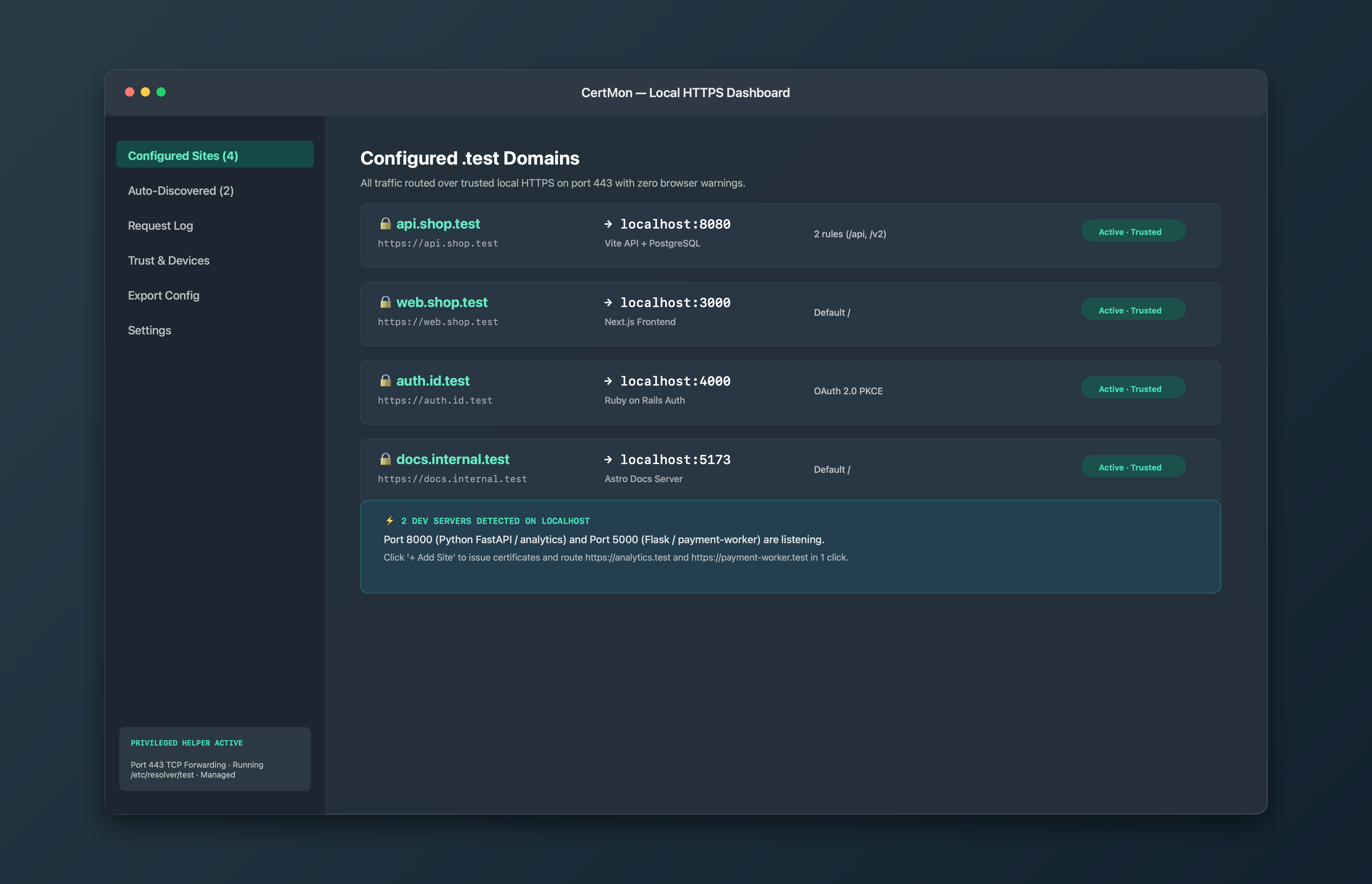
CertMon is a macOS app that does the .test setup for you. Its optional helper writes /etc/resolver/test and forwards port 443, a built-in DNS responder on 127.0.0.1:2053 answers every .test name with 127.0.0.1, and an HTTPS reverse proxy sends each name to your dev server's port.
Its root certificate is trusted in your login keychain and limited by X.509 Name Constraints to .test and .localhost names, so it cannot vouch for a real website.